Bug fixes and real improvements for your computer, on Waterfall's foundation.
Big Waterfall is a focused update, not a rewrite: a real AHCI/SATA disk driver so Setup and Disk Manager work on the modern hardware Waterfall's legacy-IDE-only driver couldn't see, a Disk Manager that no longer hides your disks behind its own scanning animation, corrected image rendering in Internet Explorer and Image Previewer, and a new wallpaper — all on top of Waterfall's memory isolation, signed applications, and CopperTable.
On real hardware take copperos-usb.img instead — it carries an EFI System Partition, so UEFI firmware can actually find it.
Status ReleasedVersion 1.6 “Big Waterfall”Downloads Available now
Bug fixes and improvements
What's new in 1.6 Big Waterfall.
Real AHCI/SATA disk support
A new driver alongside the legacy IDE one, for the SATA-in-AHCI-mode setup essentially every 2010s-2020s PC and laptop ships with by default
Setup's disk scan, Disk Manager, and the installed system's own filesystem all see and use it — install CopperOS on real hardware that legacy IDE alone couldn't reach
Disk Manager, fixed
Its own "scanning disks" animation never used to finish, so the real disk list it already found sat there undrawn forever
Disks are visible immediately now; only Format and Encrypt stay restricted outside an installed session
Image rendering, corrected
Opaque white pixels no longer turn invisible in Internet Explorer and Image Previewer
Real alpha transparency is honored instead of guessed from color, and palette/grayscale PNGs decode instead of being rejected
New wallpaper
A more colorful default desktop background
Foundation
What is Waterfall?
Waterfall is not just an update. It is a foundation upgrade that introduces new internal systems, smarter application handling, improved visuals, and deeper control over how software interacts with the machine. Big Waterfall builds on exactly that foundation with the fixes and hardware support above.
Everything has been designed with one goal in mind: a modern operating system that works for the user, not against the user.
Key highlights
Security, control, and a cleaner desktop.
Advanced Security
Encrypted system drivers
Secure internet connectivity
Strong privacy-first design
Reduced exposure to external tracking
MIWIN - Win App Loader
Custom implementation inspired by Wine
Designed to load and manage Windows applications safely
Deep integration with CopperOS system rules
CopperTable
Intelligent control for .DLL and .VBS files
Prevents unsafe installations
Installations must be validated through ccTermiX
Refined UI / UX
Cleaner interface
Improved window and application behavior
Support for images and custom wallpapers
New system animations and visual polish
Built-in Experiences
Native CopperOS games
Optimized for performance and stability
System Improvements
Faster file and folder creation
Enhanced right-click context menus
Better recovery and error-handling tools
Desktop
Twelve applications, and a launcher to reach them.
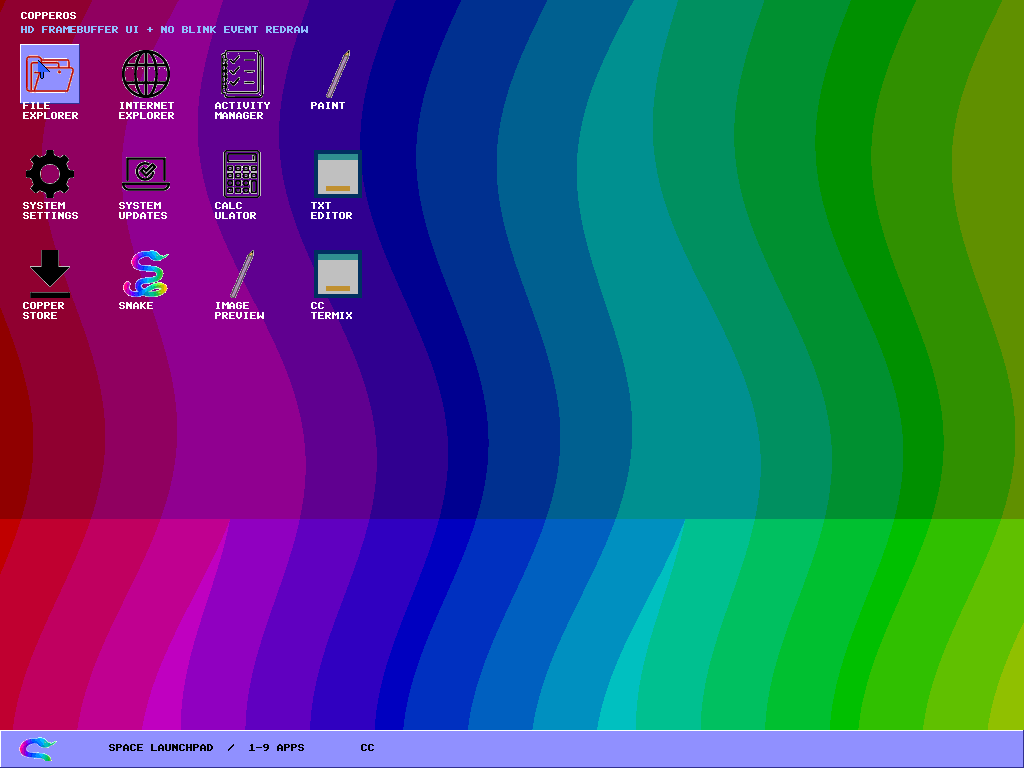
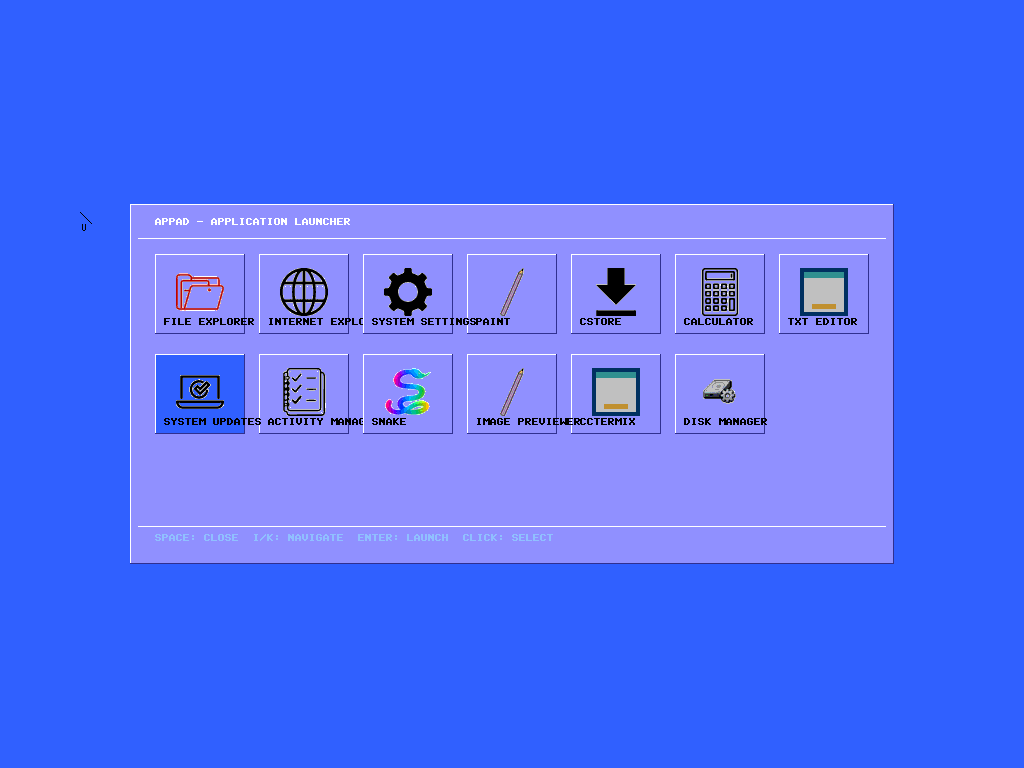
The desktop is drawn on an HD framebuffer with no blink on redraw, so windows and icons no longer flash while the screen is being composed. Press space and AppPad opens — one grid, every application, keyboard or pointer.
Everything on screen is still drawn by the kernel itself. There is no toolkit underneath it and nothing is borrowed; if a pixel appears, code in this repository put it there.
Disk Manager joins them inside AppPad. ccTermiX is where CopperTable sends anything that wants to install itself — an application does not get to place a .DLL on the system without passing through it.
Preview
Waterfall, running.
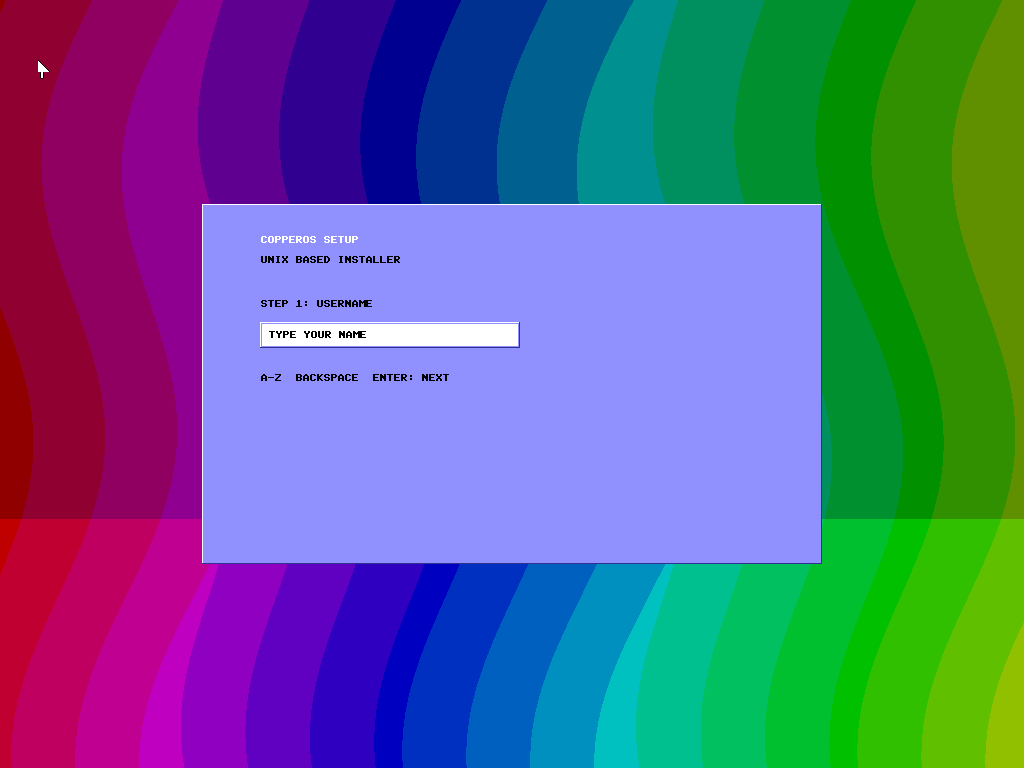
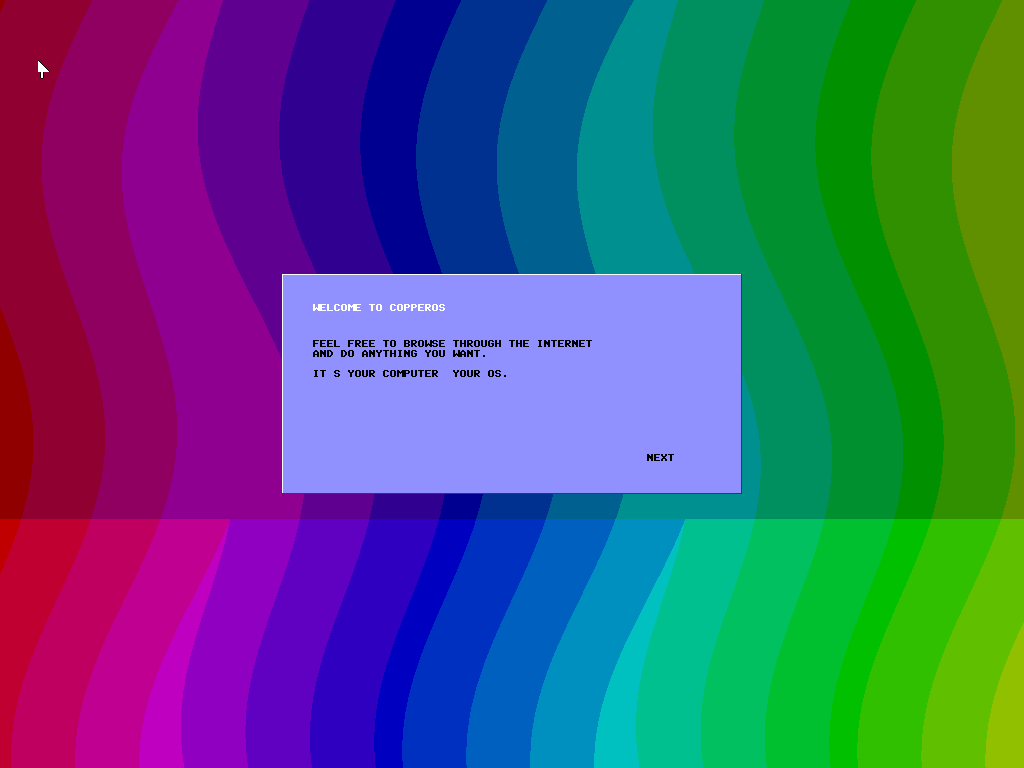
Setup, step one. The UNIX-based installer on the new blue gradient.The welcome screen after setup finishes.The desktop: HD framebuffer, no blink on redraw, twelve icons.AppPad. Space opens it, 1–9 launches, Enter confirms.
Reliability and recovery
Clearer paths when the system needs attention.
Automatic update detection
CopperOS v1.6 includes improved checks for available system updates.
Recovery options
Error and crash screens include recovery options instead of leaving the system unclear.
Status notifications
Updates report clear system status after installation.
Downloads
Get Big Waterfall.
ISO image copperos.iso · 17.5 MB
The tested path for virtual machines. Boot it in QEMU or attach it to a VirtualBox optical drive.
The raw disk image and the SHA-256 checksums are on the full download page, along with the exact commands for each format and how to flash the USB image without ruining it.
Run locally
Two commands, no configuration.
qemu
# Grab the ISO from the download page, then:
qemu-system-x86_64 -cdrom copperos.iso -m 256M -boot d

# Or build the whole thing yourself:
make
make run
CopperOS v1.0 Copperhead has not been deleted, rewritten or quietly replaced by this page. It is archived at copperos.org/copperhead with all four of its original downloads and their original checksums, exactly as they were published.
If you are reading a link, a bug report or a forum post that talks about 1.0, that is the page it belongs to.
Final notes
The waterfall arrived.
Waterfall is written from scratch, in the open, by one person, with no borrowed kernel underneath it. That is slower than the alternative and it is the point. Nothing here was announced before it worked.
Verify what you downloaded before you boot it — SHA256SUMS covers all five files, and a truncated download is still the most common reason a machine will not start.
 CopperOS v1.6