Clean first start
512 bytes of NASM load a 32-bit C kernel built for BIOS-era graphics modes. No bootloader dependency, no GRUB, nothing to configure.
 v1.0 Copperhead · archived
A small operating system that starts from a 512-byte boot sector and ends up at a desktop with windows you can open. Written from scratch, BIOS-era on purpose, and about 1.8 MB of finished machine.
Download release CopperOS 1.6 Big Waterfall
This is the archived 1.0 page. The current release is v1.6 Big Waterfall; the files below are the original Copperhead artifacts and have not been rebuilt or replaced.
Copperhead is deliberately small. A boot sector written in NASM hands control to a freestanding 32-bit C kernel, built with an x86 cross-toolchain, linked against nothing at all. No libc, no drivers borrowed from anywhere, no runtime underneath it — if something appears on screen, code in this repository put it there.
What the release is really about is the first ten minutes. It boots, draws its startup screens, asks who you are, plays a welcome animation, and hands you a desktop with a taskbar and a Start menu. That whole arc works, end to end, which is the part most hobby kernels never reach.
This is a hobby OS for reading, for boot demos, and for kernel-rendered UI experiments. The apps live inside the kernel rather than in user space, there is no filesystem to speak of, and nothing here should go near a machine you care about.
512 bytes of NASM load a 32-bit C kernel built for BIOS-era graphics modes. No bootloader dependency, no GRUB, nothing to configure.
The framebuffer asks for 1280×720×8 first and falls back through modes that virtual machines reliably support, so it comes up on almost anything.
Frames are composed off-screen before being drawn, which killed the full-screen flicker the early builds had and leaves room for real animation later.
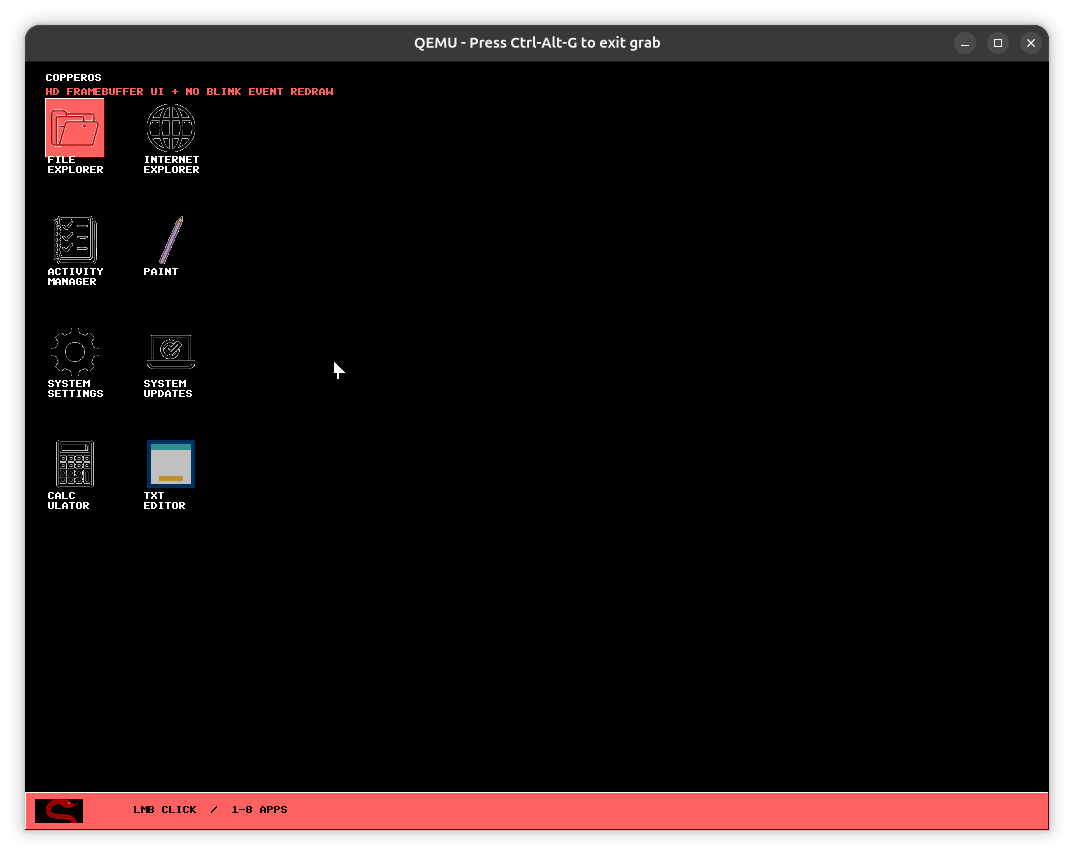
The workspace takes its cues from Windows 95: a black desktop, a taskbar, a Start menu, window chrome you can drag, and a pointer you steer with I, J, K and L because there is no mouse driver yet.
Eight applications ship in this release — File Explorer, Internet Explorer, Activity Manager, Paint, System Settings, System Updates, Calculator and TXT Editor. All eight are drawn by the kernel itself.
Internet Explorer accepts a typed URL and then admits it cannot fetch it. Real browsing needs a network card, TCP/IP, DNS, TLS and an HTML parser, and none of those exist in 1.0 — it is a placeholder that is honest about being one.
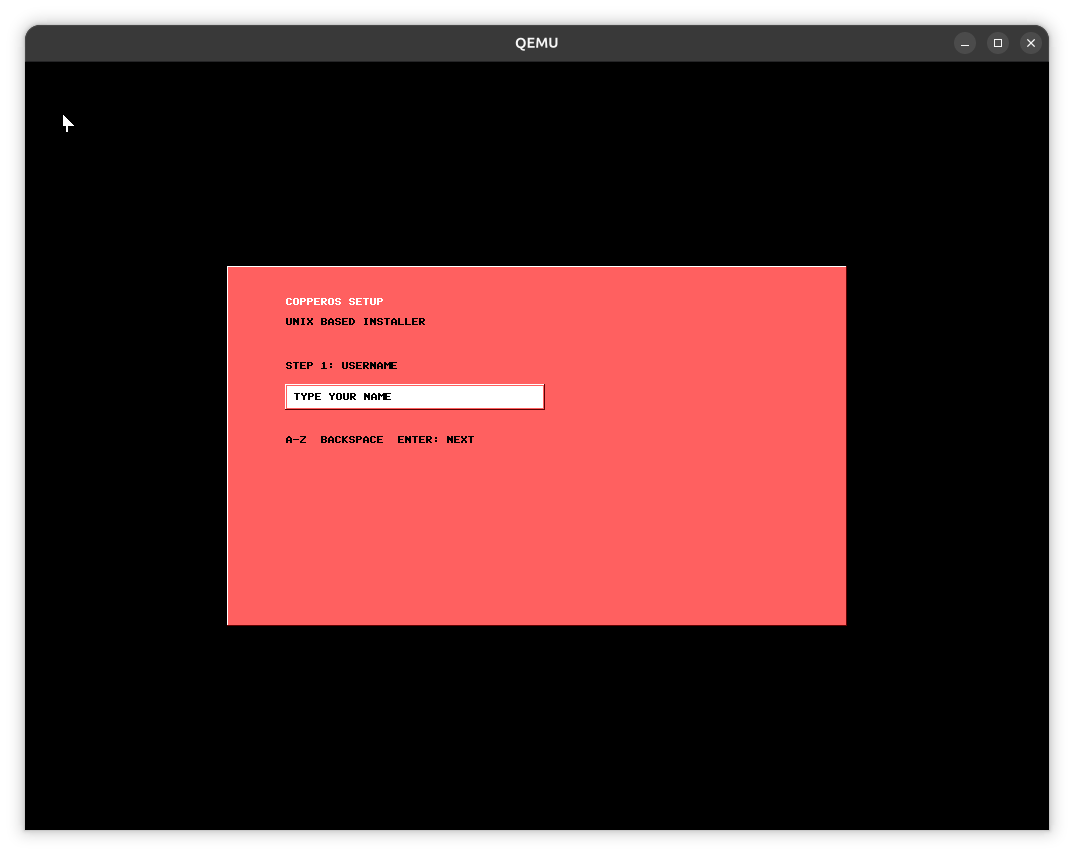
You pick a username and a four-digit passcode. The passcode is what the login screen asks for on every boot afterwards.
Install or try mode, a disk target, a desktop theme, and a network choice — each one a real branch in the setup flow.
A welcome animation plays, then the login screen appears and wants the passcode you just chose. There is no recovery for it.
All four files are the ones published with 1.0, at their original addresses, with their original checksums. Nothing here has been rebuilt from a newer kernel.
The tested path. Boot it in QEMU or attach it to a VirtualBox optical drive.
Attach as a hard disk rather than a CD.
A plain sector-for-sector image, for QEMU's -drive format=raw or for reading the boot sector by hand.
The 1.0 source tree, Makefile included. Extract it and run make run.
Generated from the four files above. Worth thirty seconds before you boot something.
These are 1.0 checksums and they will not match Waterfall's files. The 1.5 sums live with the 1.5 images on the current download page.
# Grab the ISO above, then:
qemu-system-x86_64 -cdrom copperos.iso -m 256M -boot d

# Or build the whole thing yourself:
make
make run
Copperhead is BIOS-only. If it refuses to start, it is almost always EFI being switched on in the virtual machine. The full list of boot problems and fixes.